top of page



Bank
Bank Transfer: Step by Step
1. Open the bank transfer top-up option.
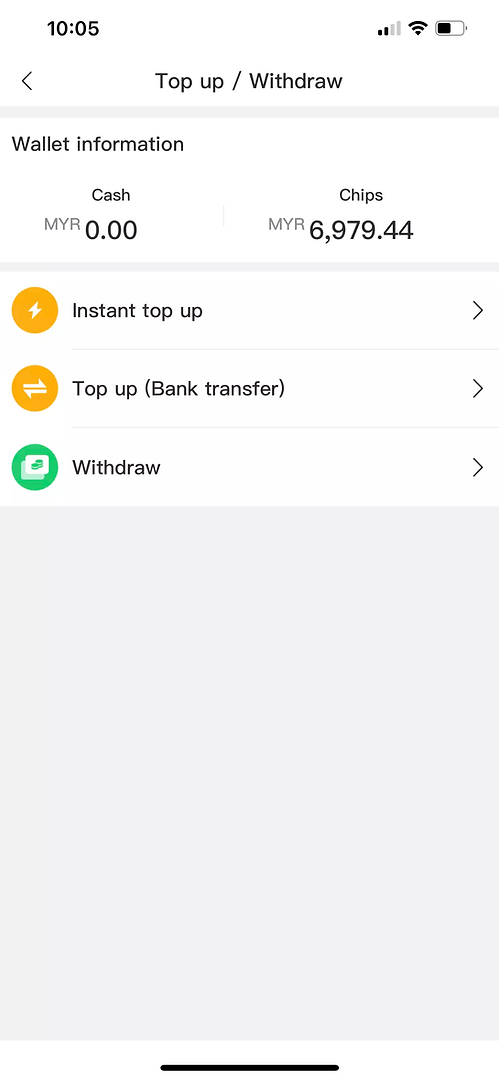
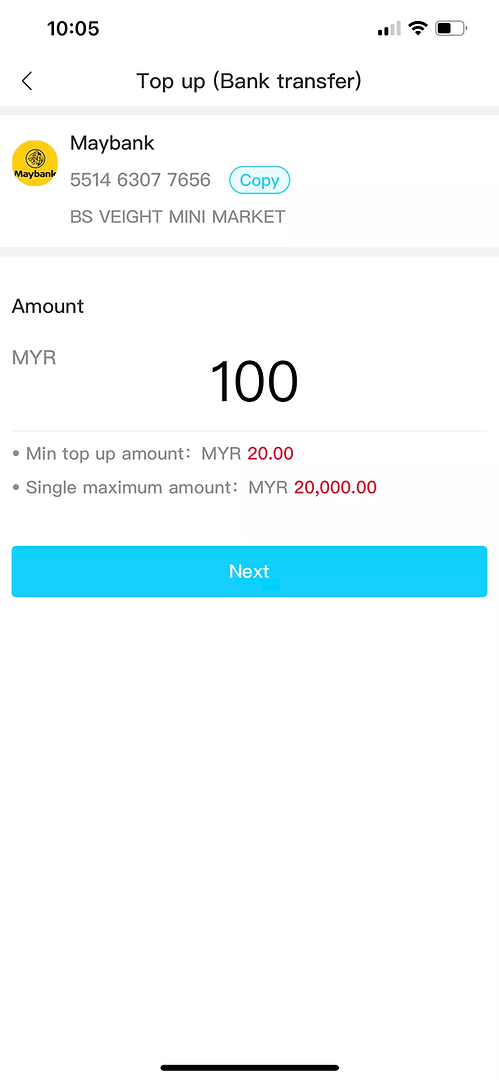
3. Enter the amount and check the limits.
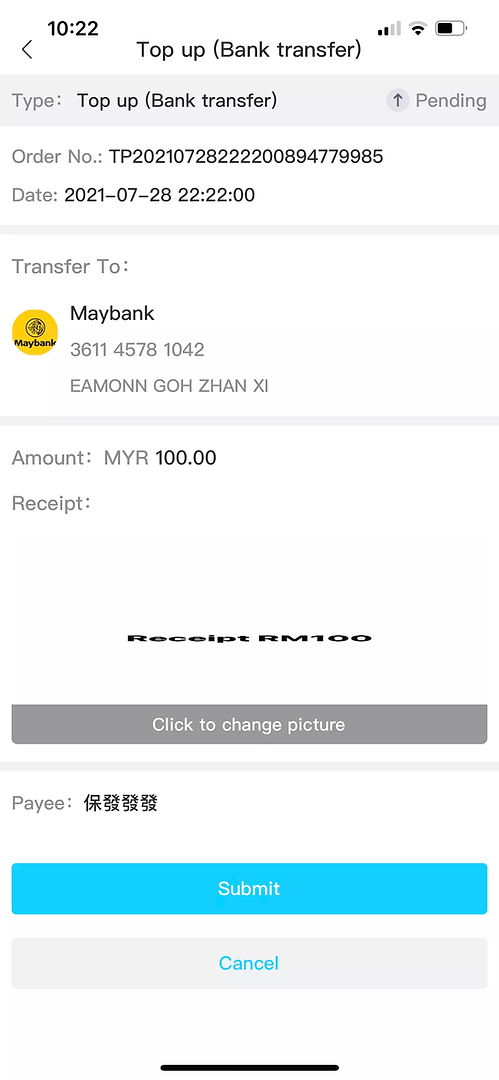
5. Upload the receipt if the form requests it.
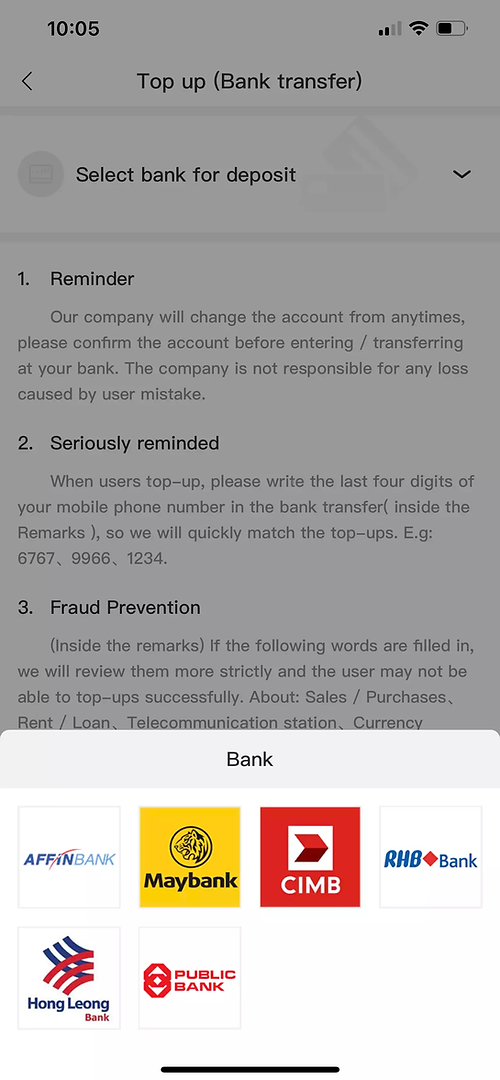
2. Select an available bank or payment method.
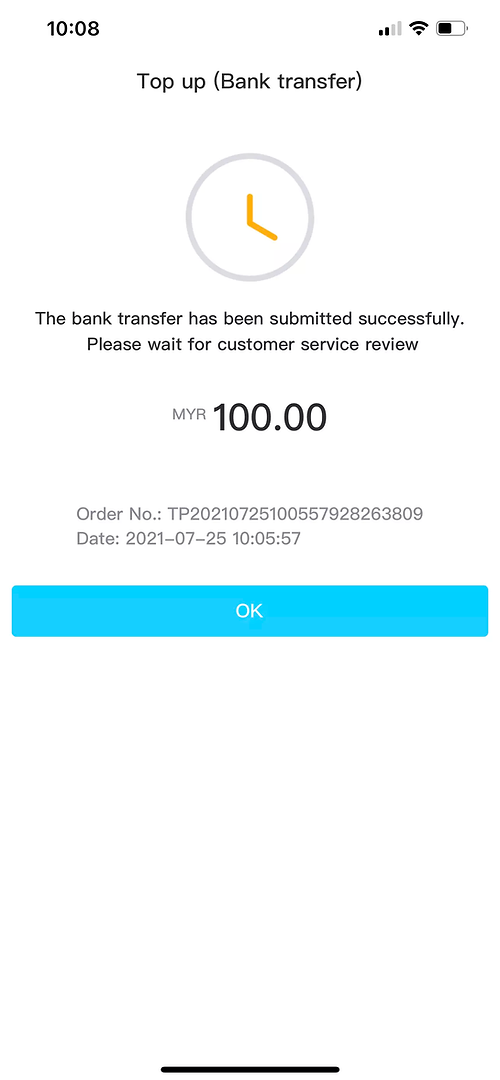
4. Use the current recipient details shown in your account. Keep the transfer receipt.
6. Check the request status in your account.
Instant
Instant Top Up: Payment Steps
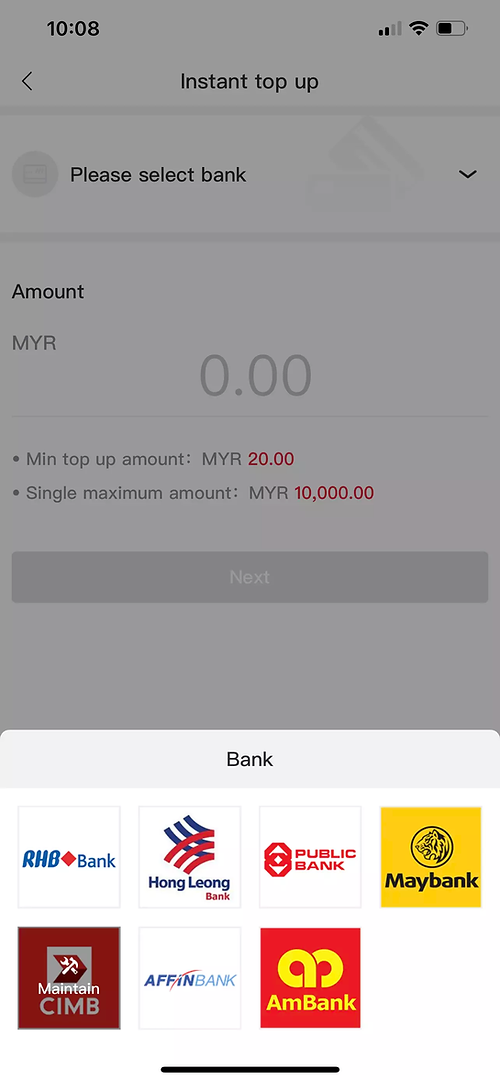
1. Open the instant top-up option.
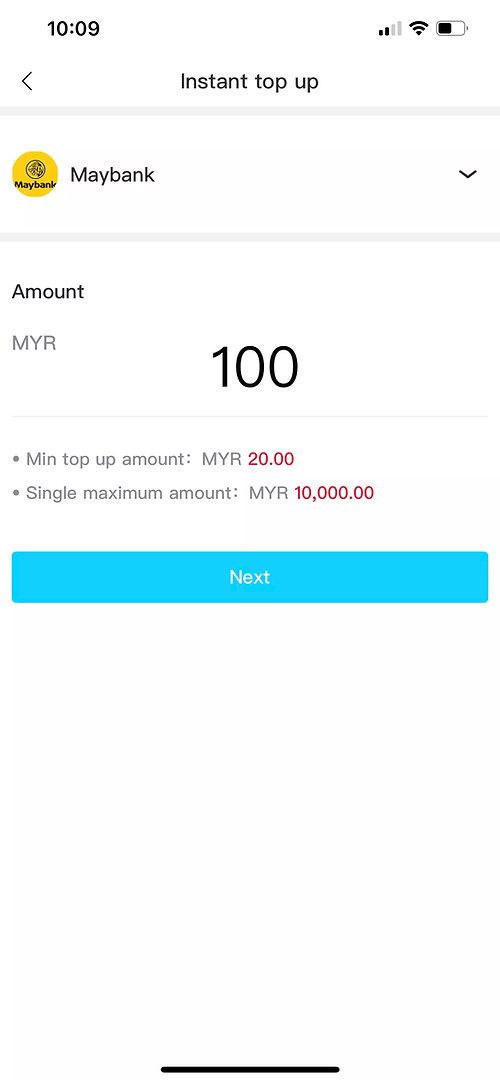
3. Enter and review the payment amount.
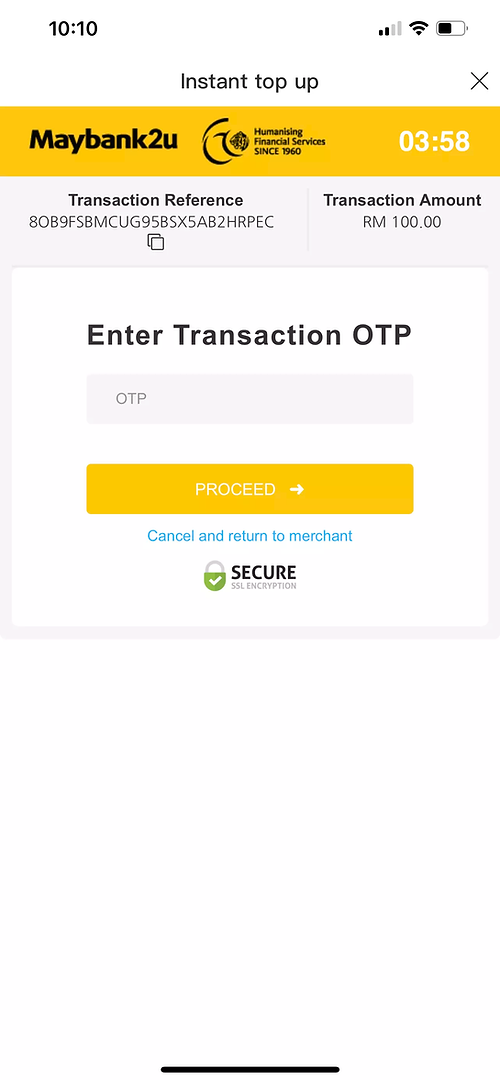
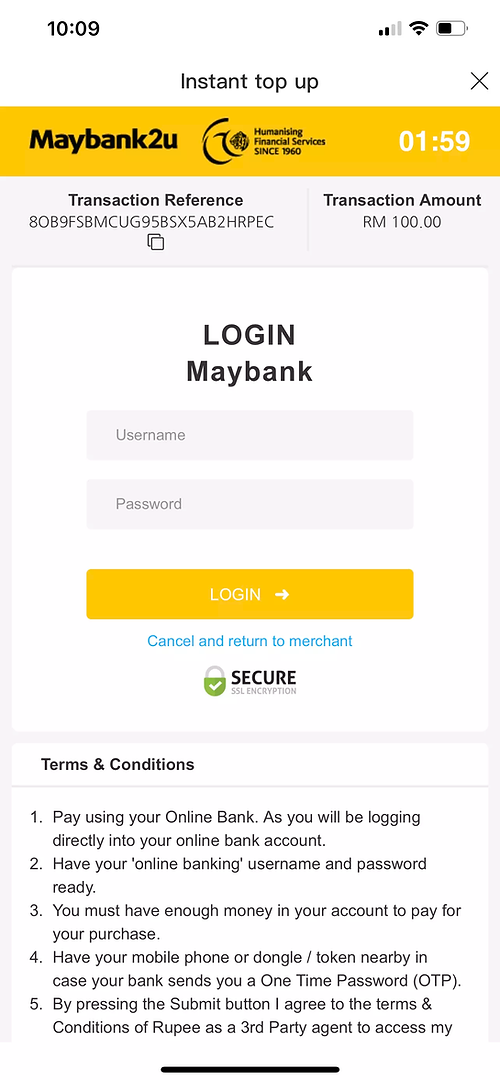
5. Approve the payment with your bank. Keep codes private.
2. Choose an available payment channel.
4. Complete payment only on your bank’s verified page.
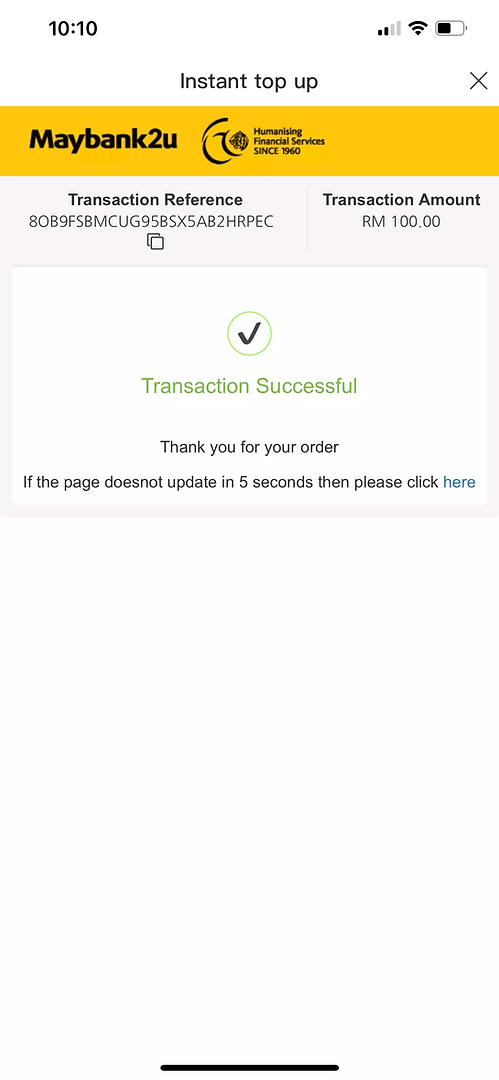
6. Return and confirm the recorded transaction.
bottom of page