top of page


WINBOX USDT DEPOSIT GUIDE
 USDT Top Up
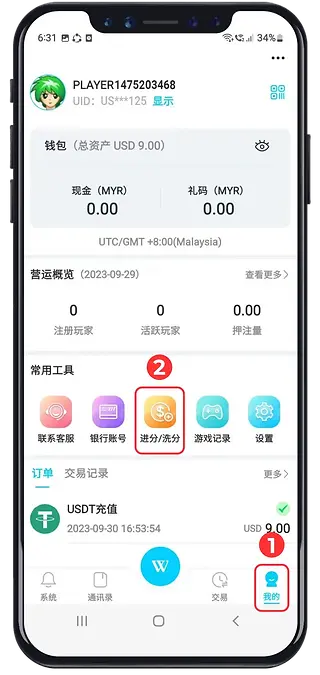
1
Open your account profile.
2
Go to the deposit or recharge section.
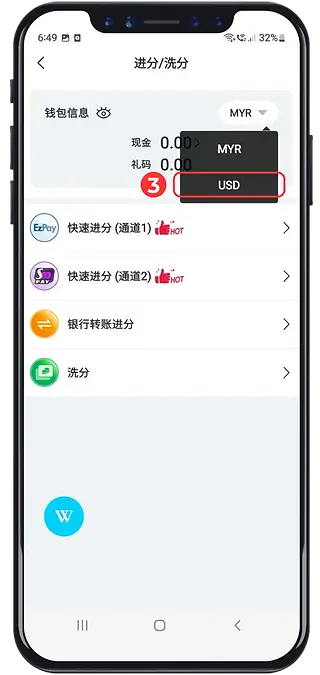
3
Review the selected wallet currency.
Check any conversion rate and fee before switching.
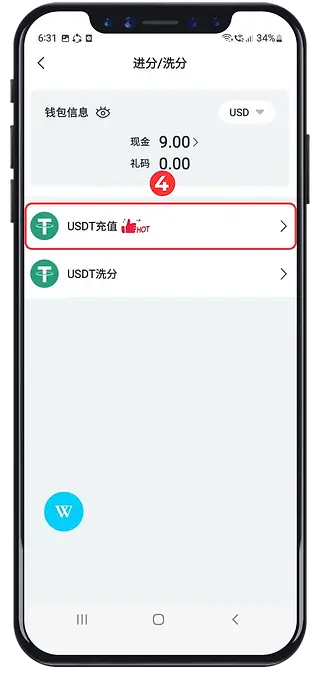
4
Choose the available USDT deposit option.
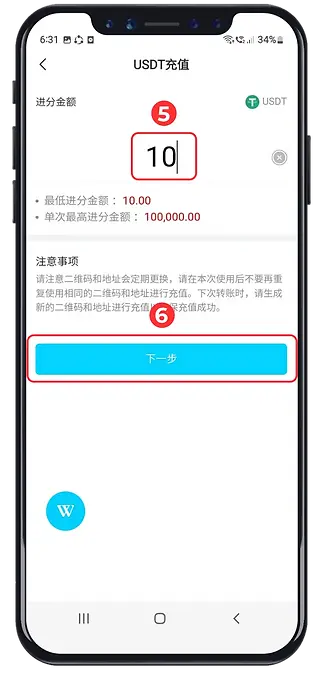
5
Enter the deposit amount.
6
Review the payment request.
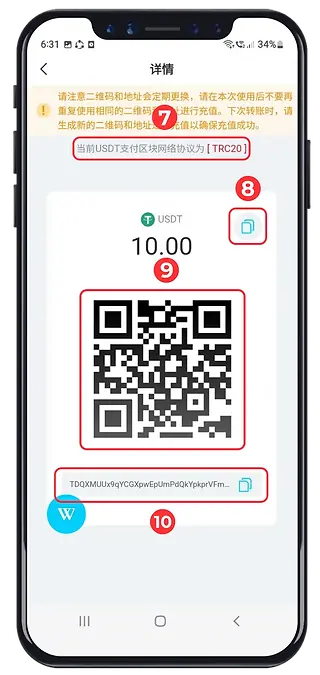
7
Match the sending and receiving networks.
8
Check the exact amount requested.
9
Use the displayed QR code if supported.
10
Or copy the current receiving address.
Verify the full address and network in your sending wallet. Use the details for this request; do not reuse an old screenshot or assume the address is unchanged.
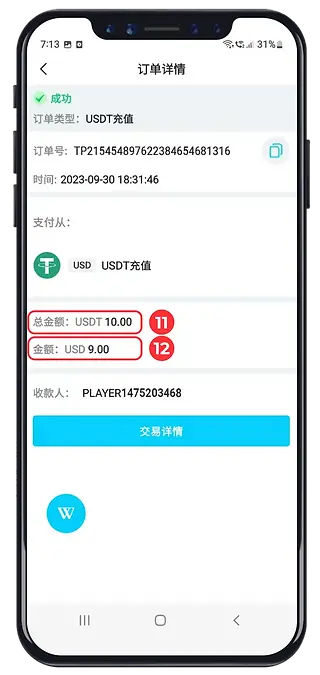
11
Review the amount sent and network fee.
12
Check the account’s credited amount.
bottom of page