top of page


WINBOX USDT WITHDRAWAL GUIDE
 USDT Withdrawal
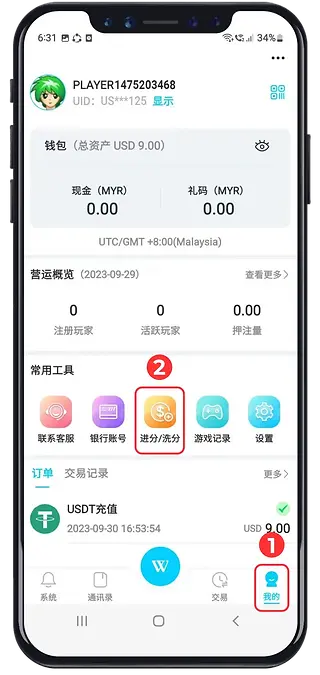
1
Open your account profile.
2
Go to the withdrawal section.
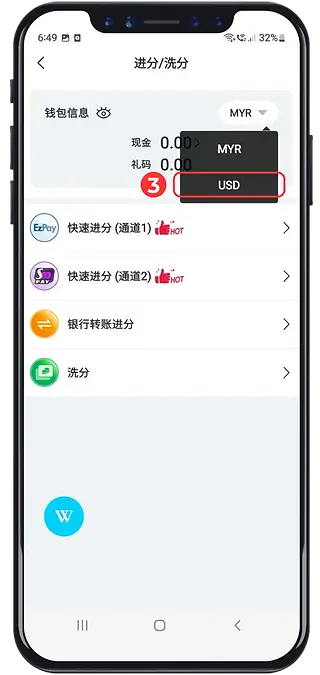
3
Review the selected wallet currency.
Check the conversion details if a switch is required.
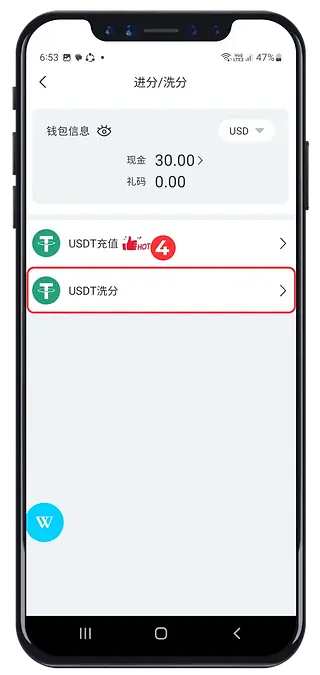
4
Choose the available USDT withdrawal option.
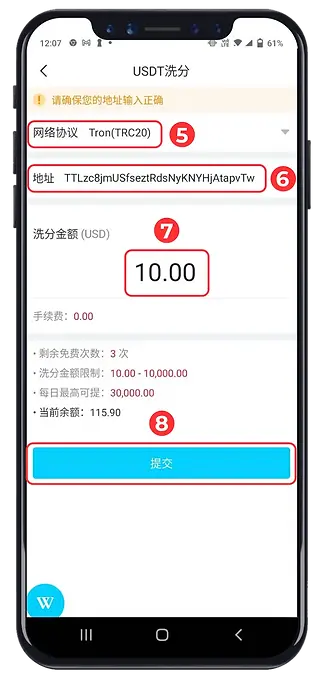
5
Select the receiving wallet’s network.
6
Paste and verify the receiving address.
7
Enter the withdrawal amount.
8
Review the details before submitting.
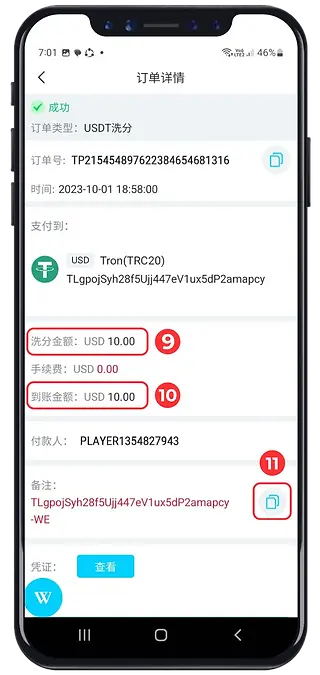
9
Check any qualifying turnover condition.
10
Review the net amount after fees.
11
Save the transaction reference or hash.
Track the request in your account and receiving wallet.
bottom of page